A real look at the software your team will use every day.
INBOX
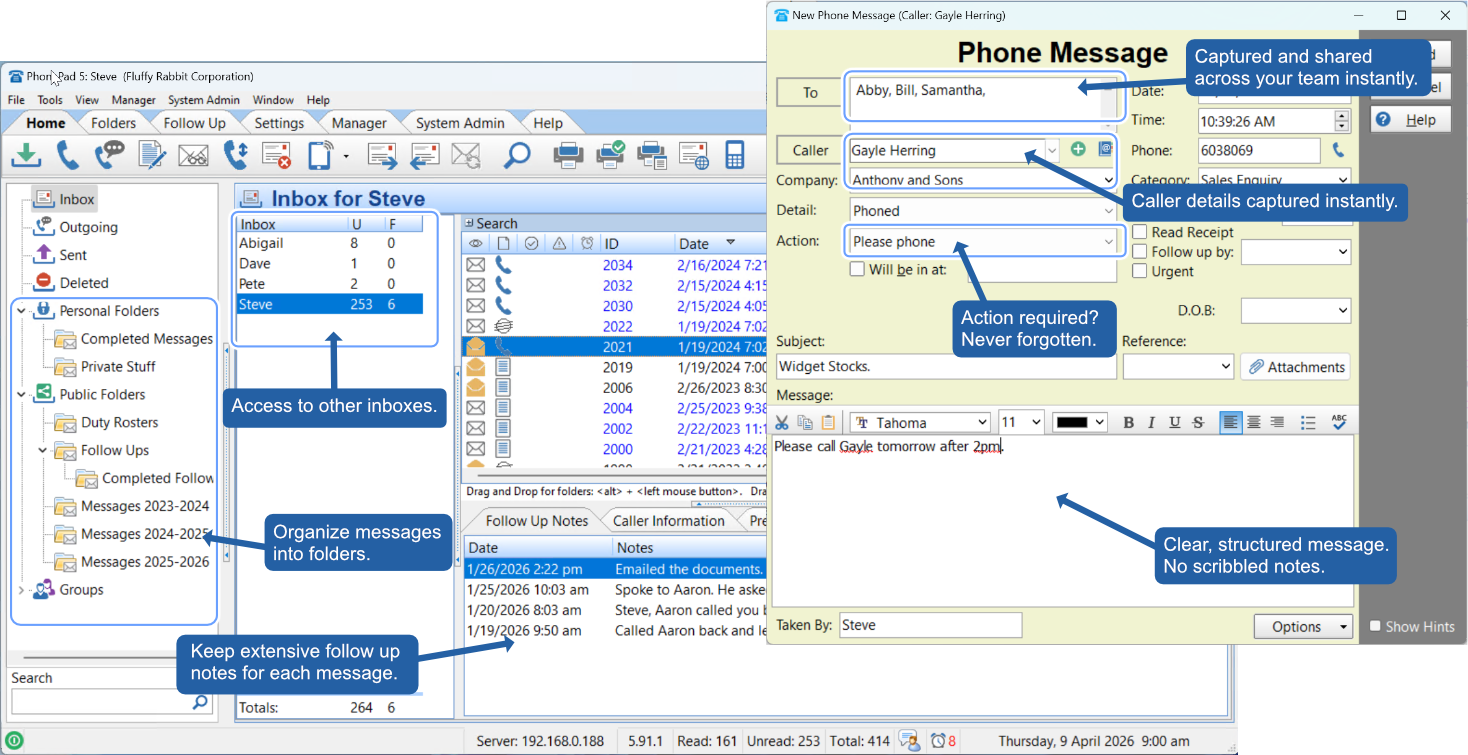
The PhonePad inbox is the hub of your day. Messages arrive in real time, organised by recipient. Managers can access other users' inboxes, messages can be filed into folders, and follow-up notes track every action taken — all from one screen.
Phone Messages
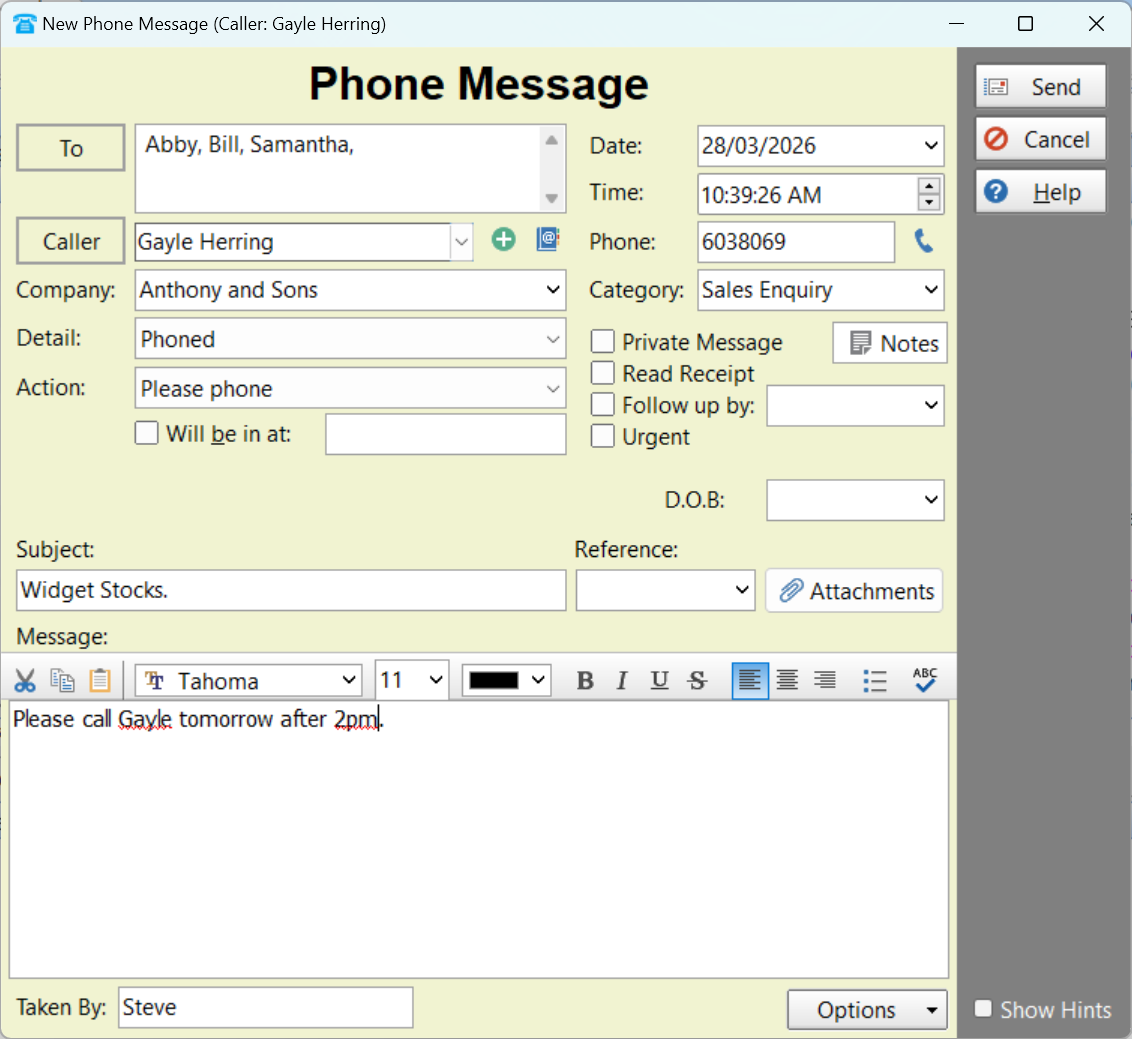
The phone message form guides reception staff through every field — caller, company, phone number, action required, urgency, and the full message. Structured, fast, and consistent every time.
Message Form
The new message form takes seconds to fill in and prompts staff to capture all the critical details — so the recipient gets a complete, actionable message, not a half-remembered note on a sticky pad.
Inbox Detail
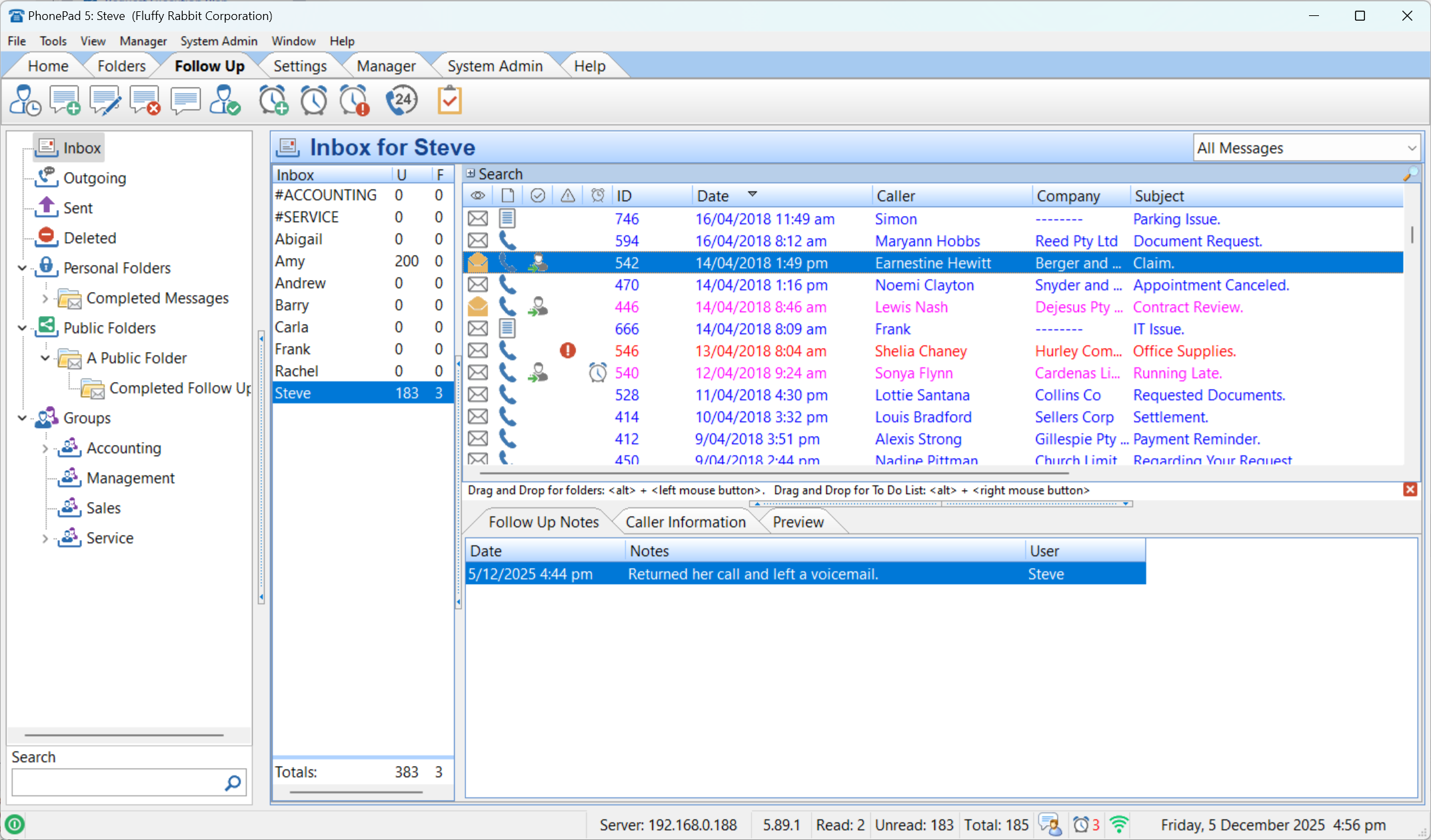
The main inbox shows every message with status icons, date, caller, company, and subject. Unread counts are visible per user, and the preview panel at the bottom shows follow-up notes without opening the message.
MESSAGE INBOX
Status icons show at a glance whether a message has been read, flagged urgent, has a reminder set, or has a follow-up note attached. The inbox panel on the left shows all users — managers can switch between them instantly.
Search
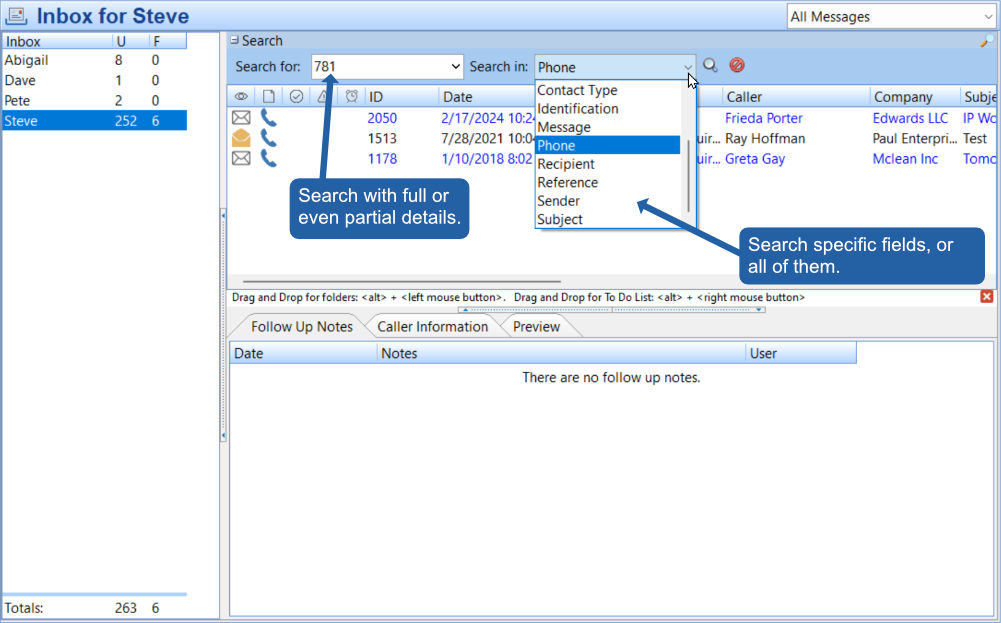
Search across all messages by caller, company, phone number, subject, message content, or any other field. PhonePad's inline search returns results instantly — no separate search screen required.
fast search
The search bar lives right inside the inbox. Type a partial name, a phone number fragment, or a keyword from the message body — and choose whether to search one specific field or across everything. Results filter as you type.
Appointment Calendar
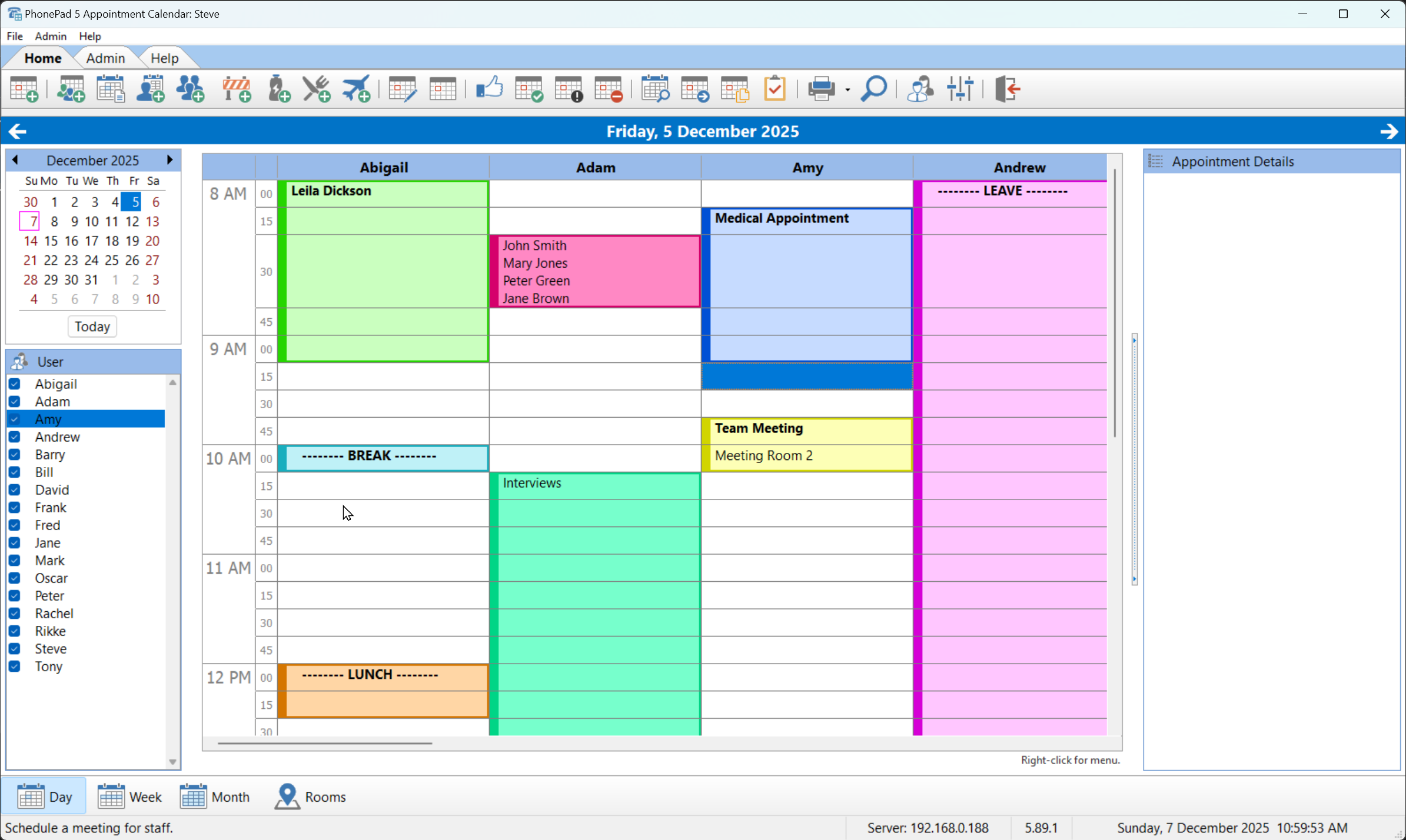
The PhonePad Appointment Calendar shows every staff member's day side by side. Appointments are colour-coded per user, and the day, week, month, and rooms views give complete visibility across your office schedule.
WhereRU & To Do List
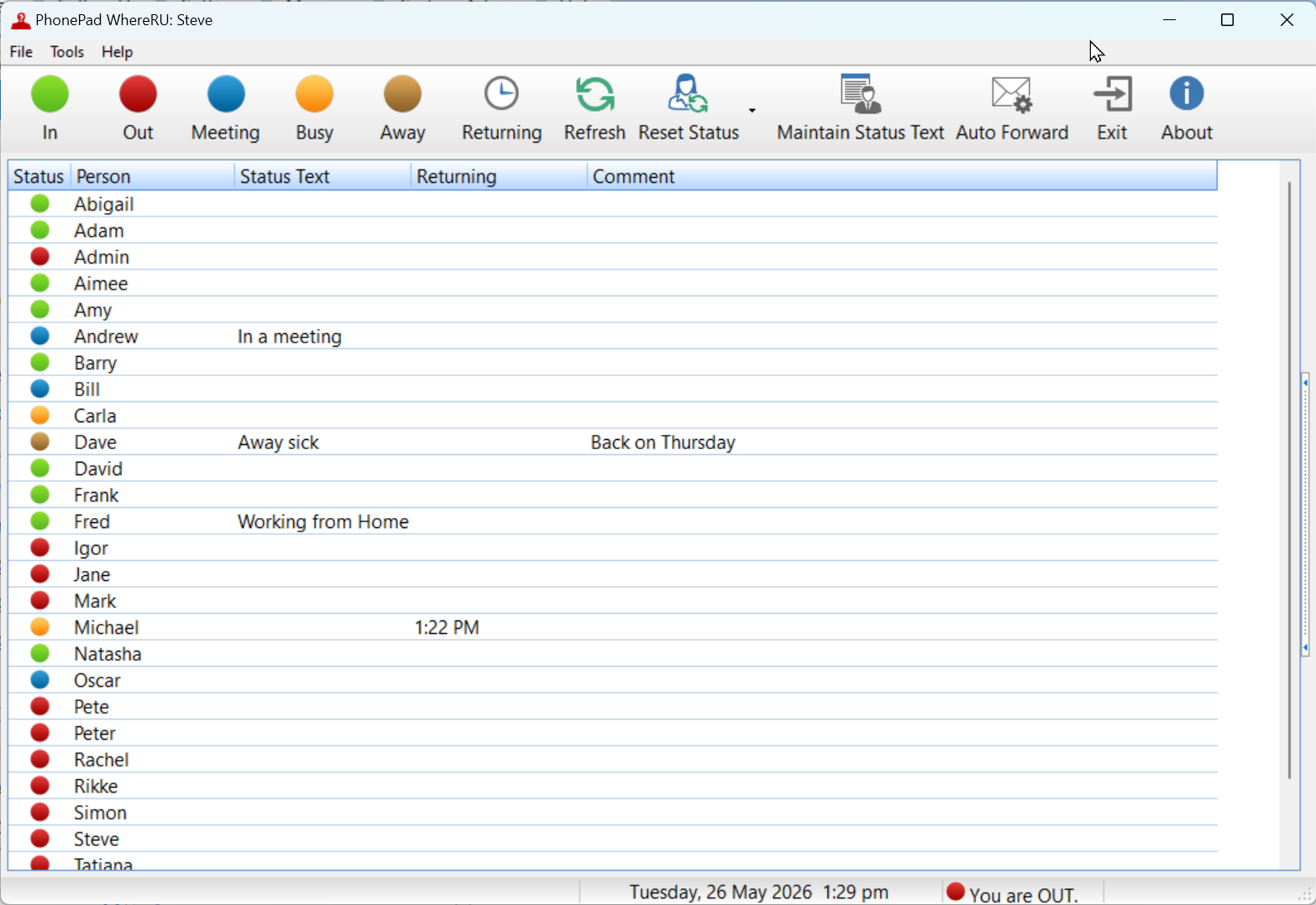
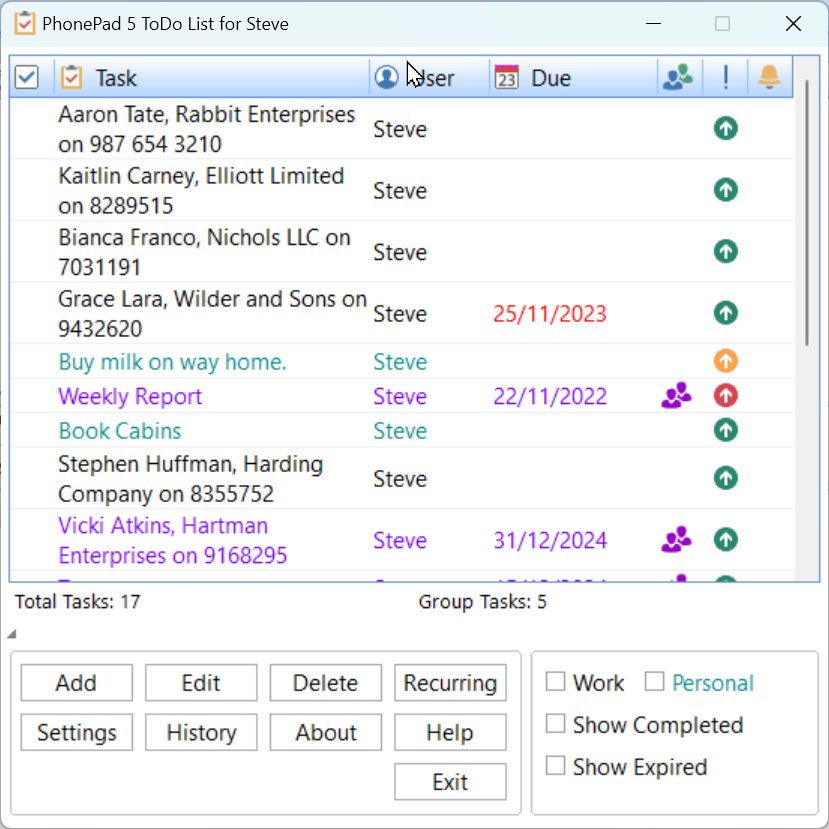
WhereRU is PhonePad's built-in staff availability board — so reception always knows who's in, who's in a meeting, and who's working from home before routing a message. The To Do List keeps follow-up tasks from slipping through the cracks.
Colour-coded status dots show who's In, Out, in a Meeting, Busy, or Away at a glance. Staff can set a returning time and leave a comment — "Away sick, back Thursday" — visible to the whole office.
Messages can be dragged straight into the To Do List. Tasks can have due dates, be shared across a group, marked as work or personal, and set as recurring. Nothing gets forgotten.
Reports & Statistics
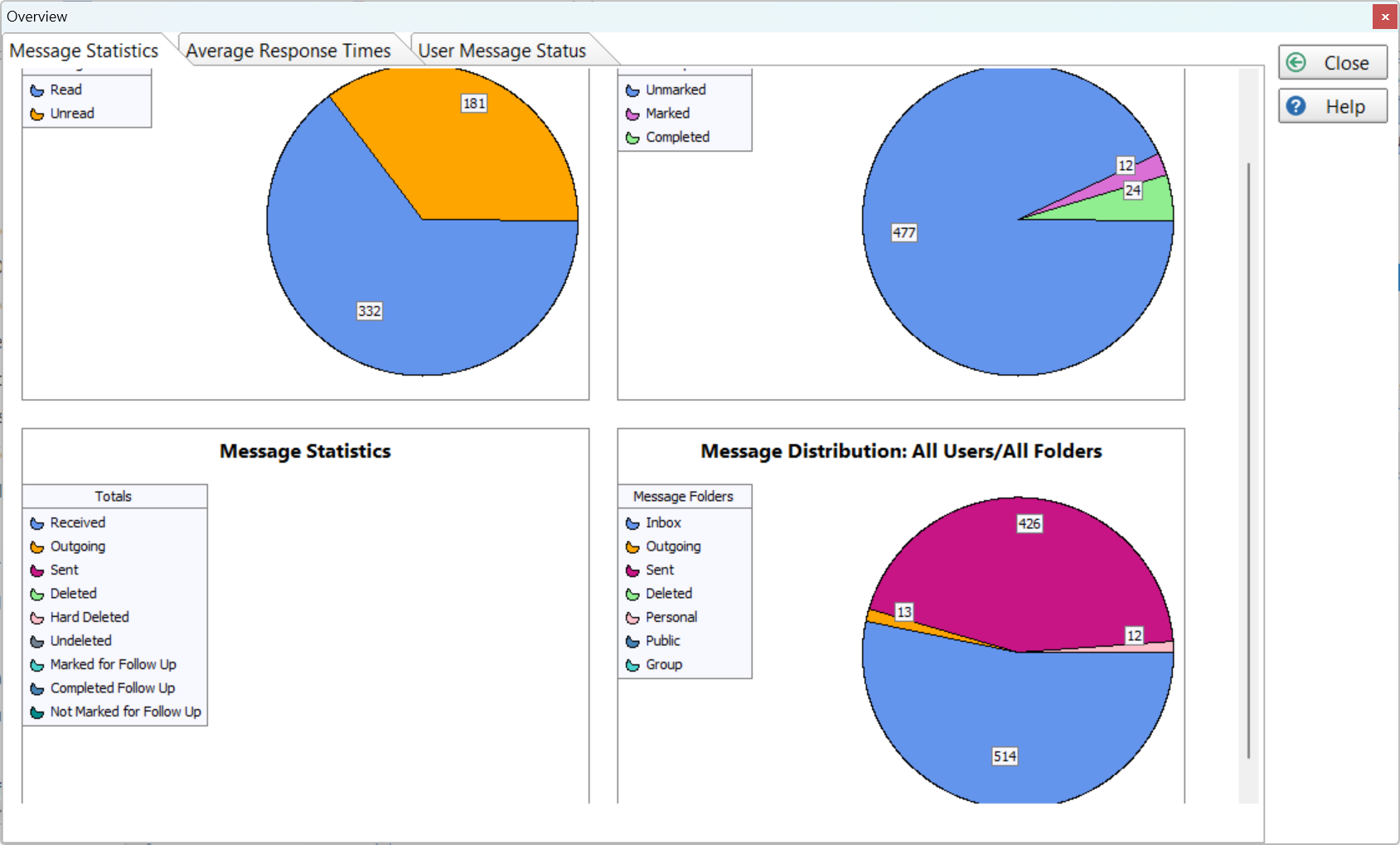
The Overview dashboard gives managers a snapshot of message activity across the entire system — read vs unread, follow-up status, distribution by folder and user, and average response times.
Reports
The statistics overview tells you immediately. See the ratio of read to unread messages, how many are marked for follow-up vs completed, and how messages are distributed across users and folders — all without running a manual report.
Address Book
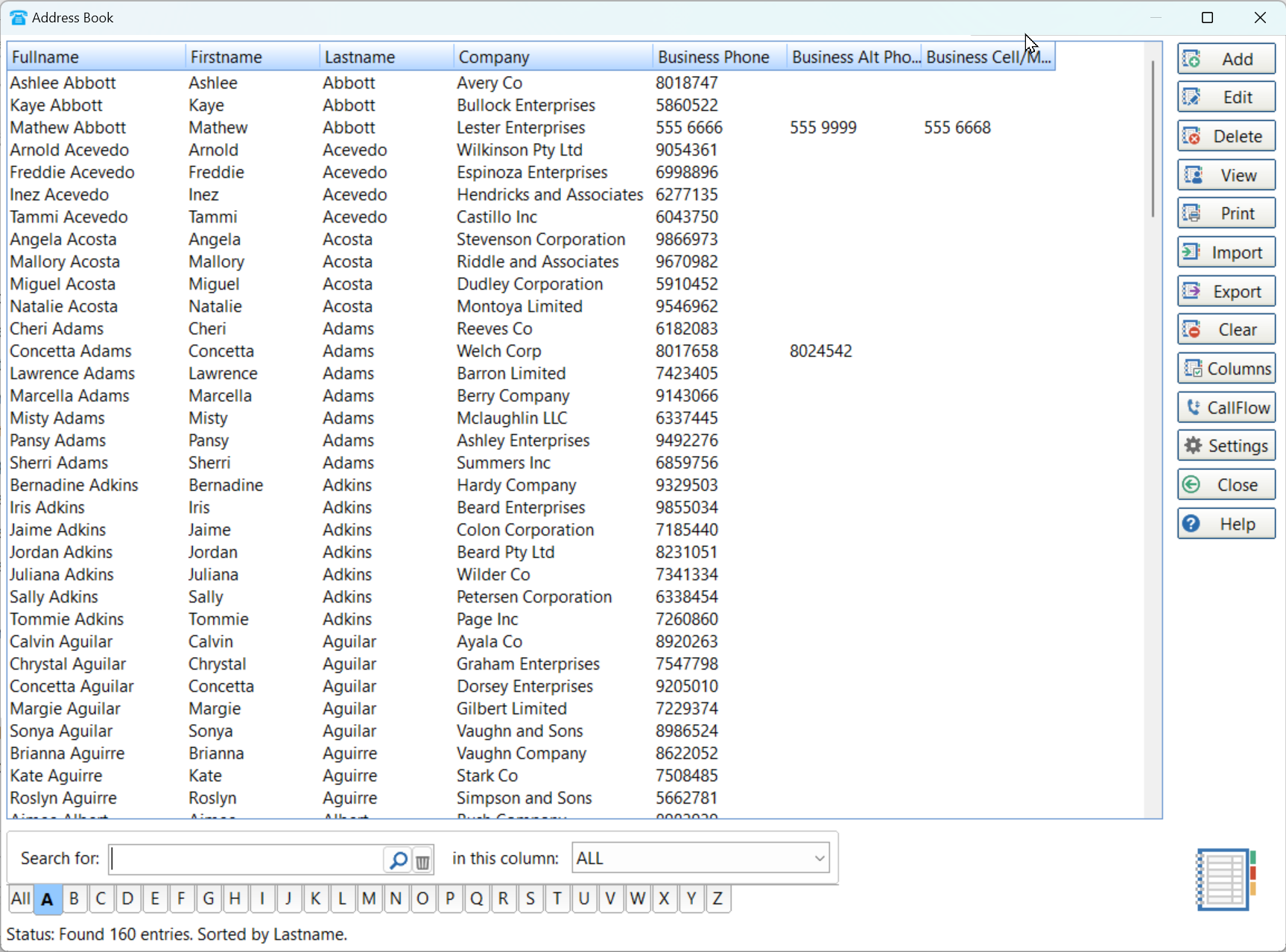
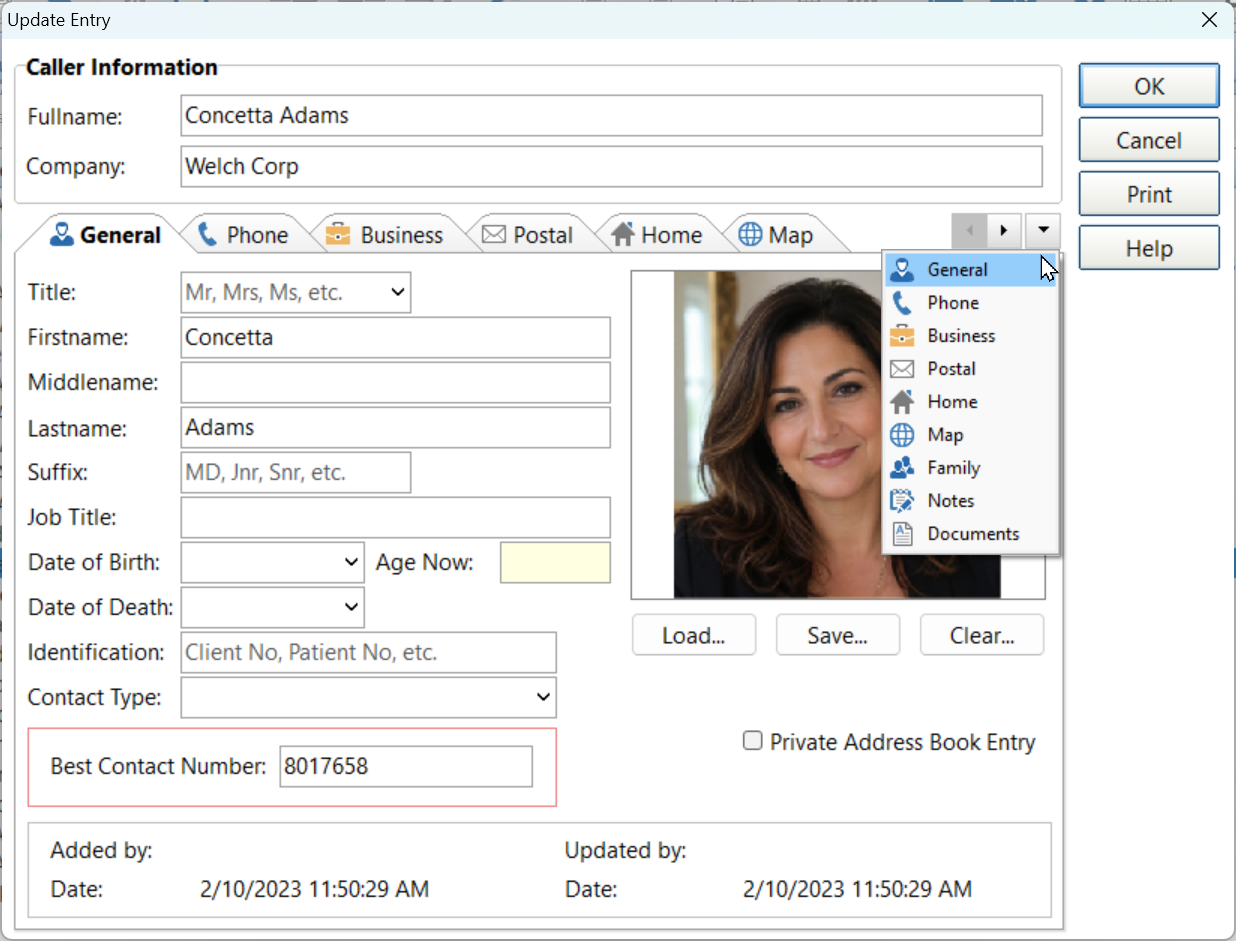
PhonePad's built-in address book stores full caller details — name, company, multiple phone numbers, postal and home addresses, date of birth, notes, documents, and even a location map. When a known caller rings, their details are auto-filled into the message form instantly.
A–Z tabbed navigation, full-name search, and column sorting. Import and export contacts, and filter by any column.
Each contact stores a photo, multiple phone numbers, business and home addresses, family contacts, attached documents, and notes — all in tabbed sections.
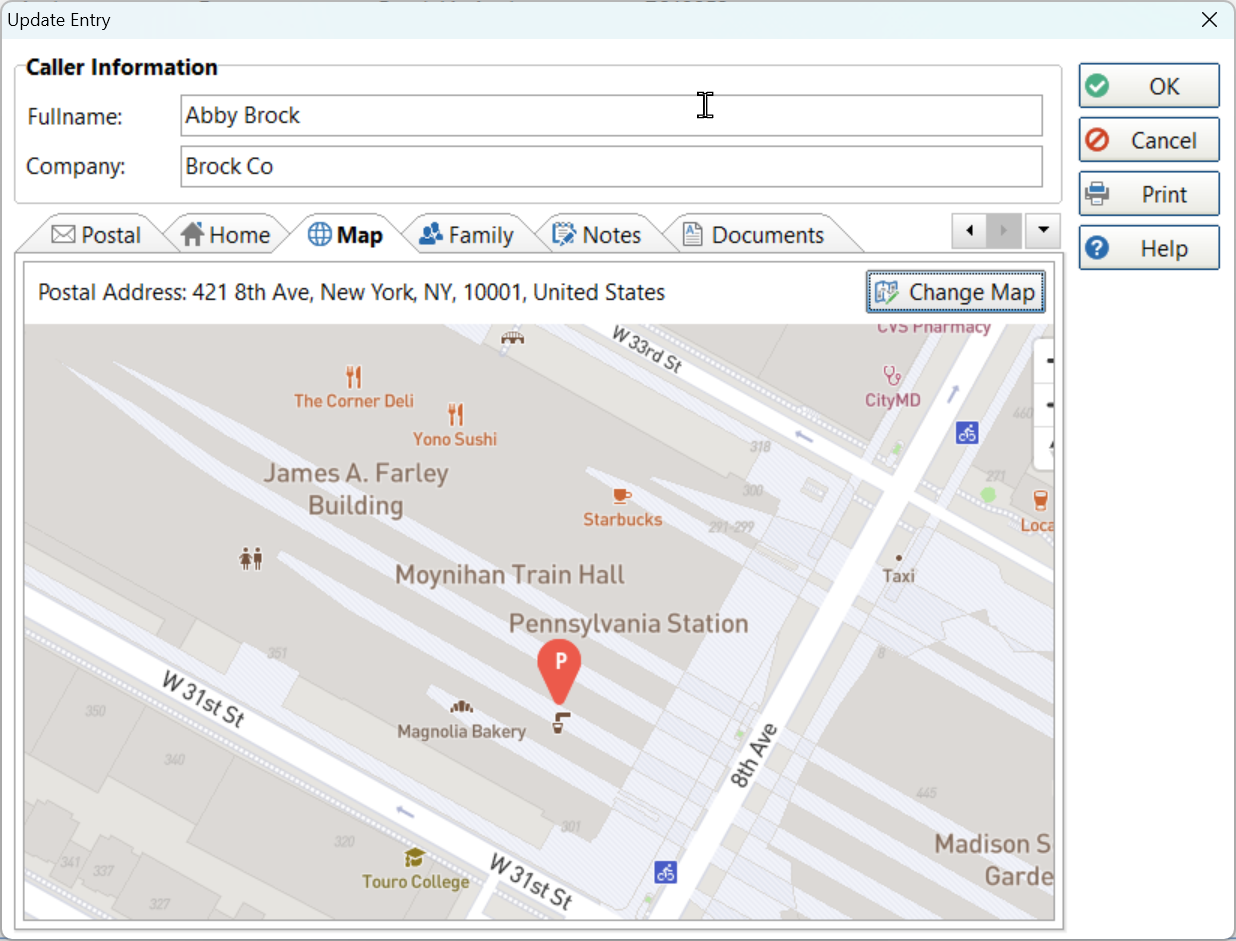
The Map tab plots the contact's address on an interactive map — handy for field visits, deliveries, or simply confirming where a caller is located.
Settings & Configuration
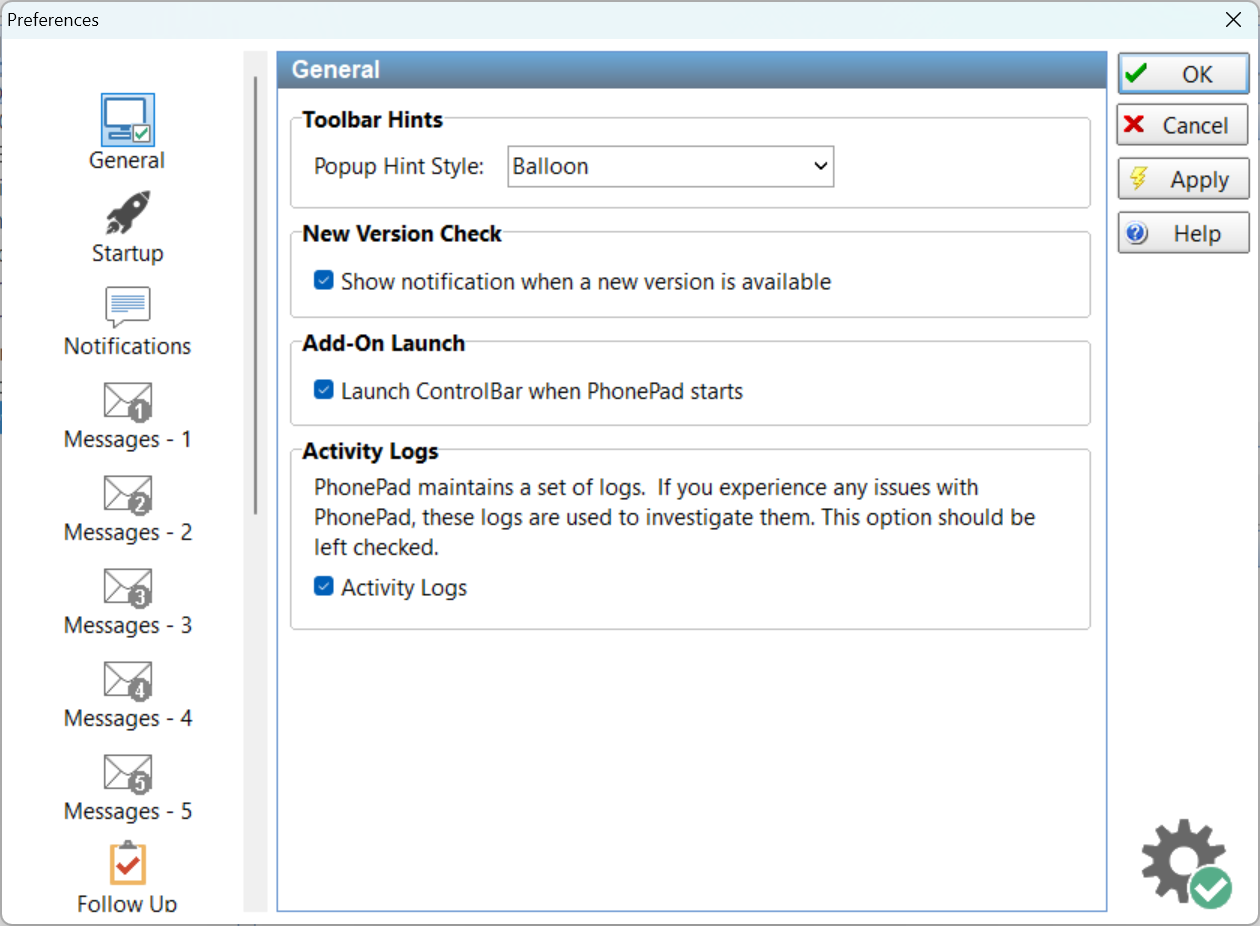
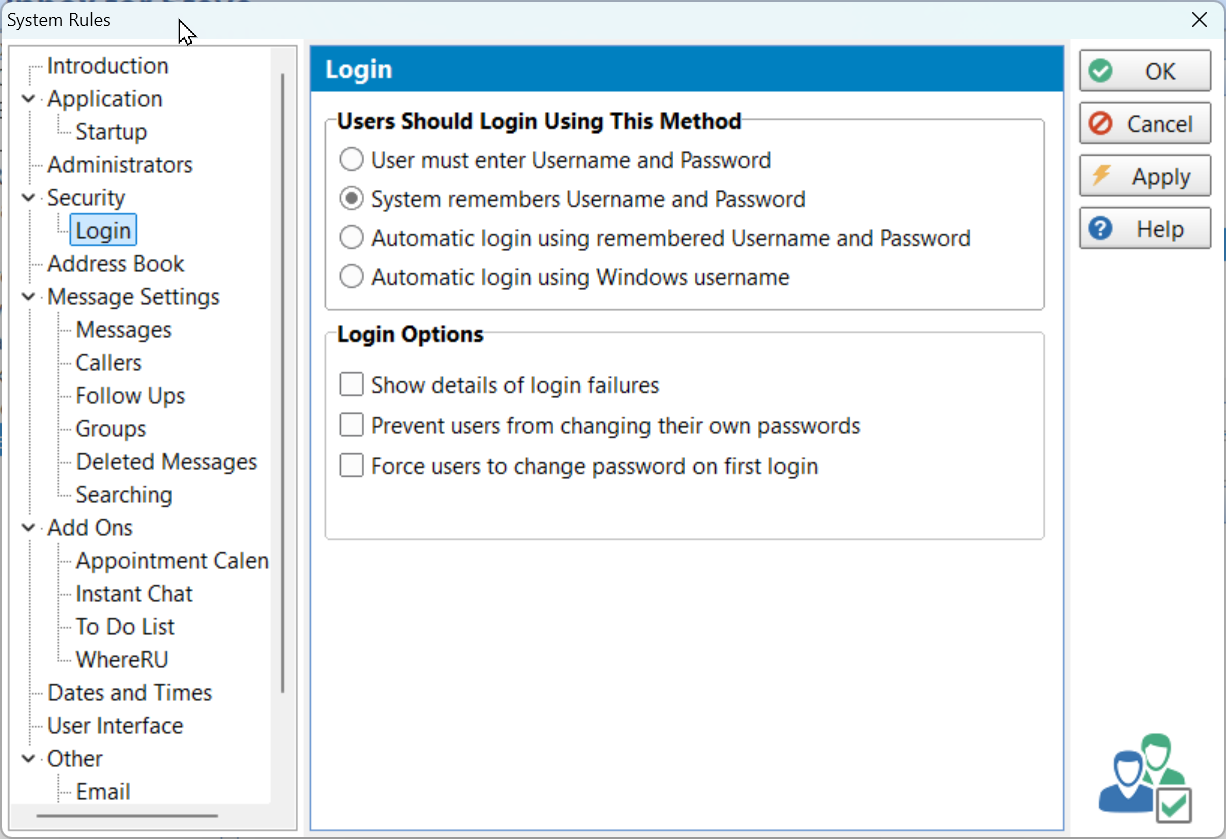
PhonePad is extensively configurable. From how notifications are delivered to login security policies, message retention rules, and add-on settings — everything is controlled through System Rules and per-user Preferences.
Preferences & System Rules
User Preferences let each staff member configure how they're notified — popup, balloon, taskbar flash, or sound. System Rules give administrators control over login security, message policies, and add-on behaviour across the whole installation.
ready to try it yourself?
Download the fully functional trial and see PhonePad running in your office — every feature included, Australian support included.
30-day free trial • Windows desktop • No credit card required
Australian support
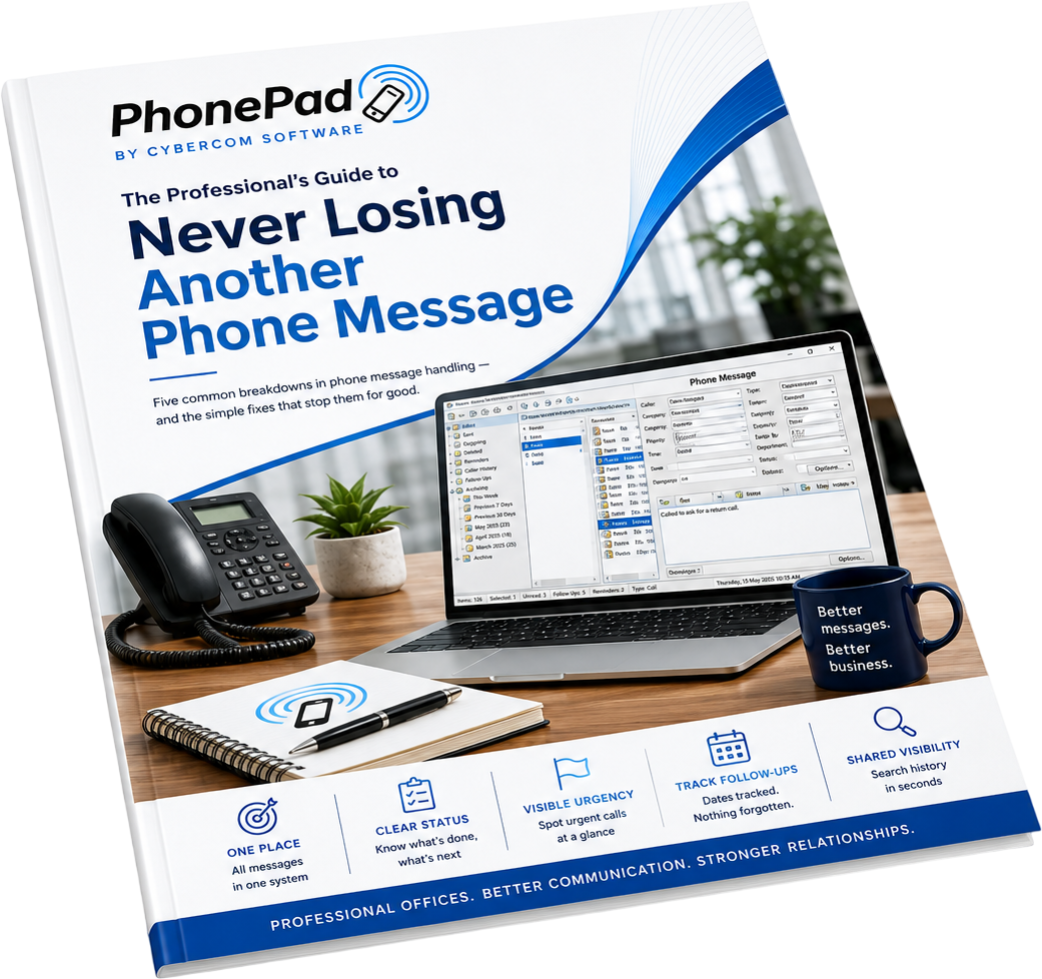
Never Lose Another
Phone Message
5 common call-logging mistakes professional
offices make - and the simple fixes for each one.
No spam - just useful stuff about call handling,
plus the occasional mention of PhonePad. Unsubscribe any time