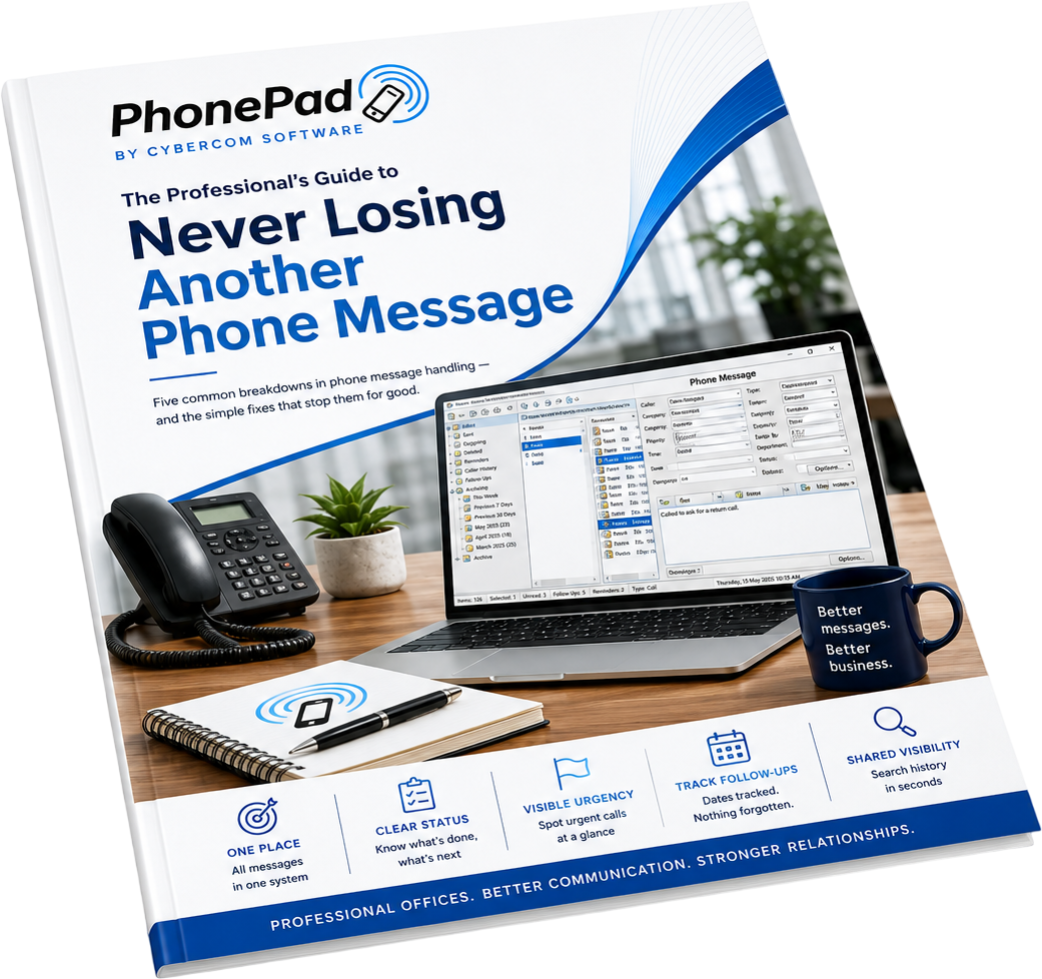
PhonePad is packed with features built for real offices — not for marketing demos. Every feature listed here exists because real teams needed it. All included in your licence unless marked as an optional add-on.
Download Free Trial View Pricing Messaging
Log, deliver, and manage every phone message — fast, clearly, and consistently.

Log Phone Calls Instantly
Incoming and outgoing calls are logged quickly from a simple on-screen form. No paper, no scrambling — just type and send.

Familiar Message Format
Messages mimic traditional paper message pads, making it easy for staff to switch over without relearning how phone messages work.

Multiple Recipients
Unlike paper pads, one message can be sent to as many people as needed simultaneously. Perfect for shared client accounts or group inboxes.

Forward & Reply
Forward messages to other users or reply directly to messages you receive — just like email, but built specifically for phone messages.

Message Read Receipts
Tick the Receipt checkbox to confirm that the recipient has actually opened and read your message. No more wondering if it got through.

Instant Popup Notifications
Staff are alerted the moment a new message arrives — via popup, notification balloon, or flashing taskbar icon. No need to keep checking.

Open Multiple Messages
Open Multiple Messages Multiple message windows can be open simultaneously, making it easy to log several calls at once or compare messages side by side.

Message Printing
Print a single message or a batch to paper, or export to RTF or PDF. Useful for filing, client records, or compliance purposes.

Undelete Messages
Accidentally deleted a message? No problem — recover it from your Deleted folder before it's gone permanently.
 Organisation
Keep messages structured, easy to find, and impossible to lose.

Personal Inbox for Every User
Every staff member has their own inbox. Messages are always in the right place — no shared piles, no confusion about whose message is whose.

Colour-Coded Messages
Messages are colour-coded by type and status, with icon indicators that let you instantly see what needs attention and what's been handled.

Personal, Public & Group Folders
Create folders to keep messages organised your way. Personal folders are private; Public folders are shared; Group folders are visible only to group members.

Fast Searching
Each message list has its own built-in search. A global search option covers all folders at once — including archived messages from years past.

Inbox Filtering
Display only the messages you want to see. Filter by status, date range, caller, or message type to cut through the noise on busy days.

Archive Messages
Archive older messages to keep your inbox clean while still maintaining access to the full history whenever you need it.
 Contacts
A built-in address book that speeds up message logging and keeps caller information at your fingertips.
Full Address Book
A comprehensive address book holds complete details for all your callers — name, company, multiple phone numbers, email, notes, and more.

Caller Autocomplete
PhonePad remembers previous callers and auto-fills their details the moment you start typing. Fewer keystrokes, fewer mistakes, faster logging.
Caller ID Integration
Connect a compatible Caller ID device to your network and PhonePad automatically displays the caller's details and logs a history of all calls received.

Groups
Create groups for departments or areas of your business. Send messages to a group and only group members will see them — great for departments like Accounting or Legal.

Import Contacts
Migrating from another system? Bring your contacts with you. Import from CSV and other common formats so you're not starting from scratch.

Export Contacts
Export your address book to a text file for use in other applications, offline backup, or sharing with other systems in your office.
 Tracking & follow-up
Make sure nothing falls through the cracks — every call followed up, every outcome recorded.

Reminders
Set a reminder on any message and PhonePad will alert you when it's time to follow up. You'll never forget to return a call again.

Follow-Up Tools
A dedicated set of follow-up tools makes it simple to track outstanding callbacks, flag urgent messages, and monitor who's actioned what.

Complete Call History
PhonePad maintains a full history of every call from every caller — automatically. Look up any client and see every message ever exchanged.

Message Statistics
Visual statistics show message status and progress across your team. Monitor how quickly messages are being handled and spot bottlenecks before they become problems.

Reports
A range of built-in reports help you keep on top of call volumes, response times, and staff message handling — useful for office managers and team leads.

Staff Availability (WhereRU)
The built-in In-Out Board lets you see at a glance who's available, who's out, and who's at lunch — so messages are always sent to someone who can act on them.
 Security & administration
Enterprise-grade security and flexible admin controls, without the enterprise price tag.

Data Encryption
All PhonePad data is encrypted using industrial-strength encryption algorithms. Your client communications stay private and protected at rest.

User Levels
Three user levels — Standard User, Manager, and Administrator — give you precise control over who can see, send, and manage messages across the system.

Flexible Login Options
Multiple login options including username/password and automatic login. Configure security to match your office's needs without complicating daily use.

System Rules
Apply system-wide settings that affect all users — covering application behaviour, security policies, message defaults, follow-up rules, and more.

Multiple Inbox Access
Administrators can grant staff access to other users' inboxes. Essential for PAs, receptionists, and anyone covering for colleagues who are away.

Full Audit Trail
Every message is time-stamped and permanently recorded. Know exactly who logged a message, when it was sent, when it was read, and what happened next.
 Infrastructure & reliability
Runs on your network, on your terms — no internet dependency, no subscription, no data leaving your office.

Works on Any Windows Network
PhonePad runs on virtually any Windows-based network — Local Area Networks, Peer-to-Peer networks, and domain environments. Windows 7 through 11 and Windows Server supported.

Remote Access Built-In
PhonePad Remote lets staff connect from home, a remote office, or on the road and use PhonePad exactly as they would in the office. No VPN required.

Automatic Backup
The built-in backup system keeps your messages safe automatically. Schedule backups to a local drive, network share, or even a cloud drive for off-site peace of mind.

No Cloud Dependency
PhonePad runs entirely on your local network. No cloud subscription, no third-party servers, no risk of your client data being uploaded anywhere. You own it entirely.

Fast Setup
Install the server component once, then add workstations across your office. Most teams are fully operational within an hour of downloading. No IT department needed.

Scalable from 5 to 100+ Users
PhonePad licences scale from small practices to large offices. Start with the users you need and expand your licence as your team grows — no reinstallation required.
Every PhonePad licence includes 12 months of support and free updates — so you're never left on your own.

12 Months Free Updates
All major and minor updates during your first year are included at no extra cost. Stay current with the latest features automatically.

Email Support
Email support for any questions or problems you may have — from people who actually know the product and understand office workflows.

Remote Support Access
If needed, the support team can remotely connect to your network and resolve issues directly — no lengthy back-and-forth required.

User & Admin Guides
Comprehensive guides in PDF, ePub, and CHM format cover everything from first setup to advanced administration. Nothing is left undocumented.

Video Training
Online training videos walk you through the basics and into the more advanced features at your own pace — useful for onboarding new staff.

Care Plan (Optional)
Extend your support and updates beyond 12 months with a PhonePad Care Plan. Keep covered as long as you need it. Learn more →
These features are not included in the base licence but are available as optional add-ons. Each one integrates directly into PhonePad.
Automatically forward phone messages to email, SMS, or the Pushover app the moment they're logged. Includes up to 10,000 free messages per month. Perfect for staff who are away from their desk.
A full-featured multi-user, networked appointment scheduling system that integrates directly with PhonePad. Schedule and manage appointments without switching between applications.
Access your messages, appointment schedule, and contacts on any smartphone or tablet via a web browser. No app installation required — works wherever you have a browser.
No credit card. No limitations. The full product in your hands — so you can see exactly how it fits your office before you commit to anything.
Download Free Trial View Pricing Fully featured for 30 days · Windows 7–11 & Server
Australian support · Setup assistance included
Never Lose Another
Phone Message
5 common call-logging mistakes professional
offices make - and the simple fixes for each one.
No spam - just useful stuff about call handling,
plus the occasional mention of PhonePad. Unsubscribe any time